
As part of a scheduled system upgrade taking place over the weekend beginning Saturday, February 28, we identified that your recurring or future-dated loan payment will not automatically carry over to the upgraded system.
Your current recurring or future-dated loan payment will not process after the upgrade unless it is re‑created. To ensure your payment continues without interruption, you will need to set it up again once services are restored after 8am on Monday, March 2nd. Follow the below steps:
Step 1: Find the cancelled transaction
In digital banking, go to Transactions in the main menu, then select Activity Center. If your transaction was recurring, go to the Recurring Transactions tab, and if it was a single transaction go to the Single Transactions tab.
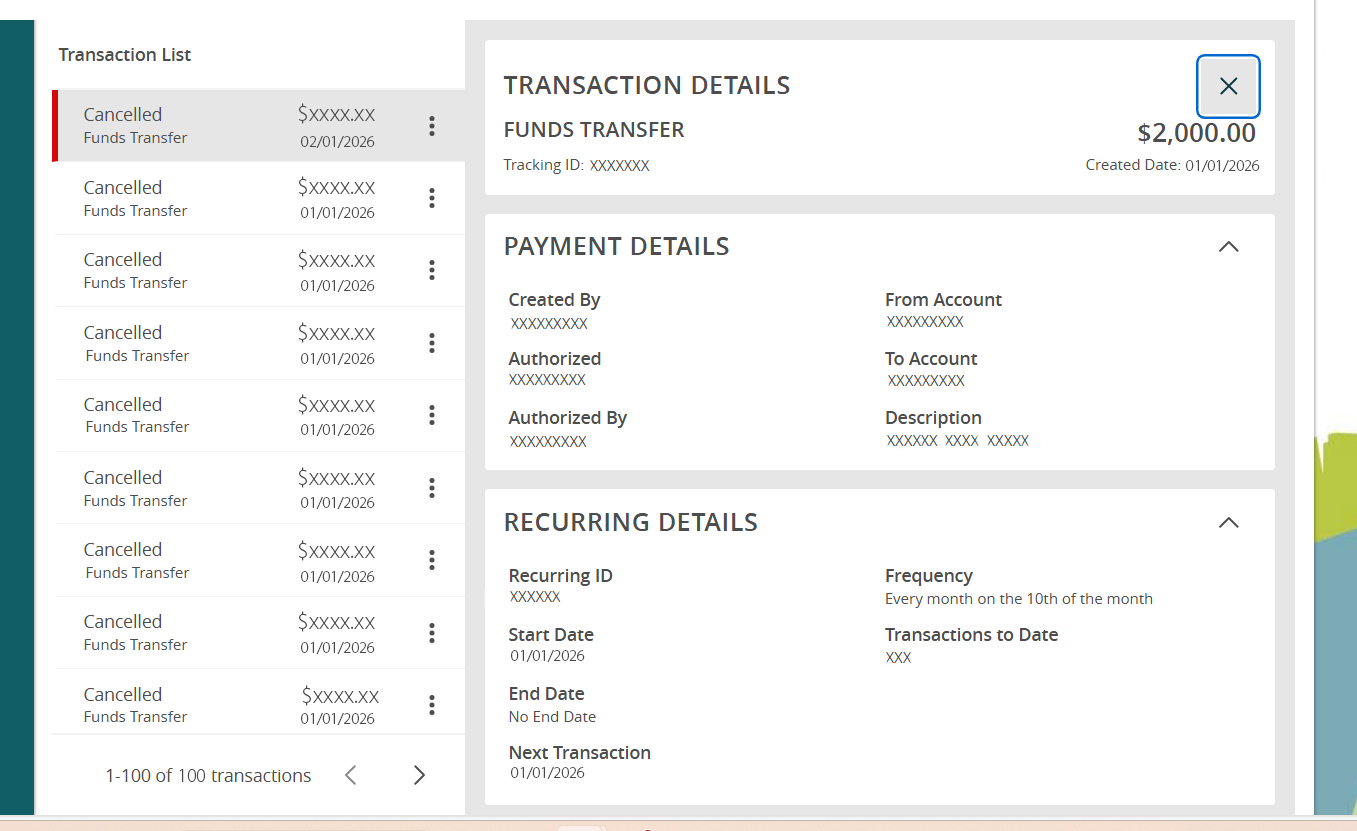
Identify the transaction you need to re-create (it will have a status of “Cancelled”) and click on it to view the details.
Step 2: Note the details
On the details screen under Recurring Details, you’ll be able to see all of the details of the recurring including the frequency. Make note of these details so you can re-create them.
Step 3: Create a New Payment
Go to Transactions in the menu again, and this time select Loan Payment
Enter the information for your payment, including the amount, payment type, and set the recurring frequency and start date.
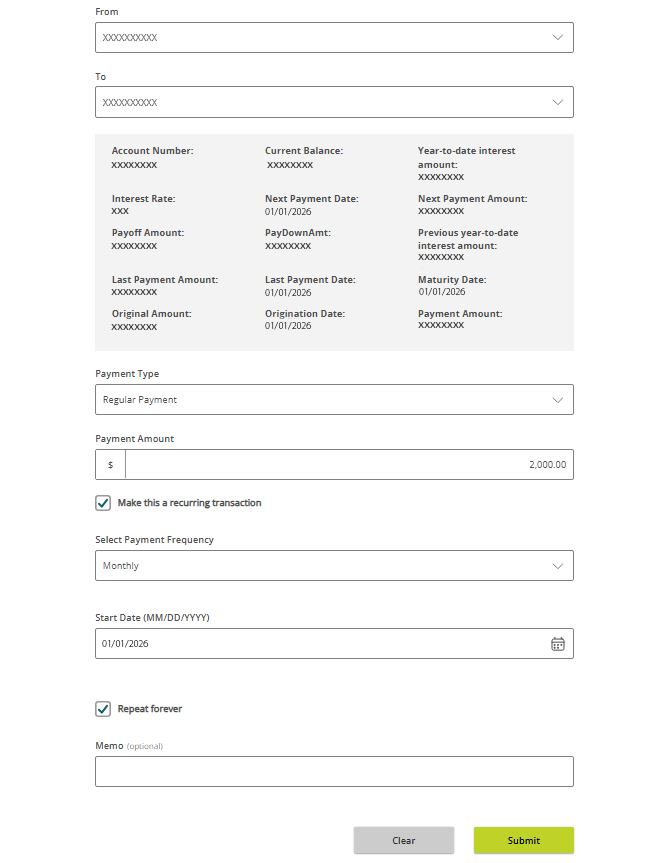
When all of the information entered is correct, click submit.
Need assistance? Our team is here to help!
Call: (800) 588‑7551
Visit a branch: https://www.mylsb.com/support/resources/locations
Thank you for choosing Lincoln Savings Bank. We sincerely appreciate your business and your patience as we continue to improve your online banking experience.